What Does Mouse Polling Rate Mean?
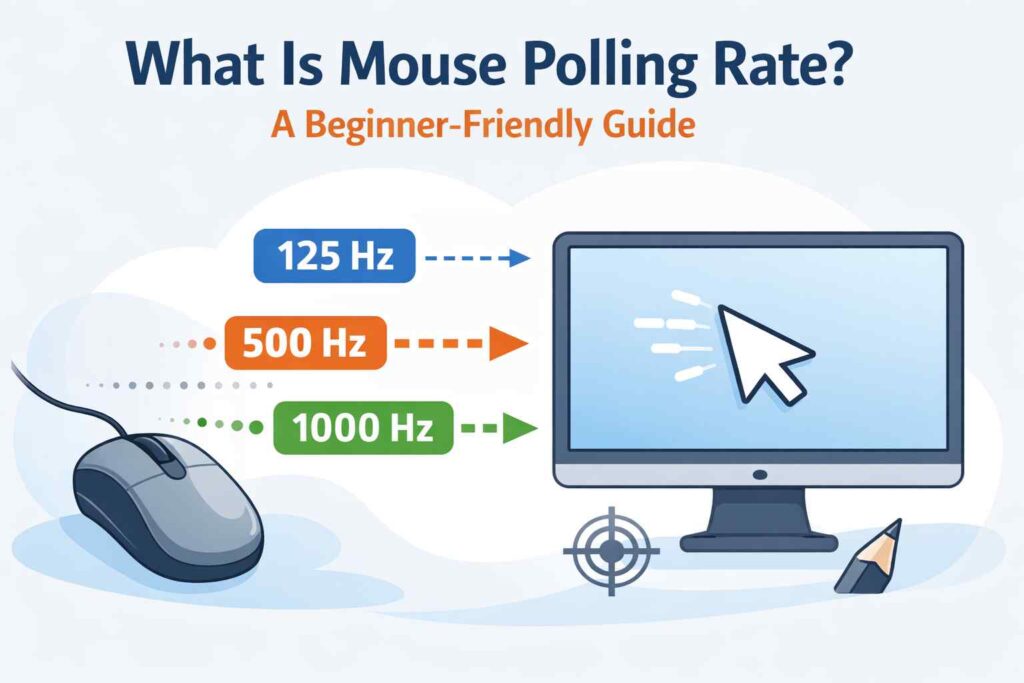
Mouse polling rate describes how often a mouse sends movement data to a computer. This value is measured in Hertz (Hz). If a mouse has a polling rate of 1000 Hz, it sends position updates 1000 times every second.
This setting does not control how far the cursor moves. Instead, it controls how quickly the computer receives information from the mouse.
Many users confuse polling rate with DPI, but they affect different parts of mouse behavior.
Why Polling Rate Exists in the First Place
Computers do not constantly read mouse movement. They wait for updates. Polling rate defines how often those updates happen.
A low polling rate means the computer receives fewer updates. This can cause movement to feel delayed or slightly uneven. A higher polling rate allows the computer to receive data more often, which can make motion feel smoother.
This difference becomes more noticeable during fast actions like gaming or quick cursor movements.
Common Polling Rate Values Explained
Most mice support a few standard polling rate options:
- 125 Hz – Basic responsiveness, often used by older or office mice
- 500 Hz – Balanced performance for most users
- 1000 Hz – High responsiveness, common in gaming mice
Some modern mice support higher values like 4000 Hz or 8000 Hz. These settings reduce delay further, but many users do not feel a clear difference, especially on mid-range systems.
Polling Rate vs DPI: A Simple Clarification
Polling rate and DPI are often mixed up, but they do different things:
- Polling rate controls how often the mouse reports movement
- DPI controls how sensitive the mouse is to movement
A mouse can feel slow even with high DPI if the polling rate is low. For smooth control, both settings should be balanced.
Why You Should Check Your Actual Polling Rate
Mouse software settings do not always reflect real performance. Wireless mode, USB ports, or system limits can reduce the actual polling rate.
That’s why it’s useful to check the real polling rate instead of relying on settings alone.

PollingRateTester.com provides browser-based testing tools for measuring mouse DPI, polling rate, latency, and other device performance metrics. All tools are tested on real hardware, including USB and Bluetooth mice and high-refresh-rate monitors, to ensure accurate and repeatable results.
The website is maintained by a technical team that regularly updates tools and guides in response to browser, sensor, or firmware changes to keep measurements consistent, precise, and transparent.